I just uploaded a bunch of photos to snap.as, thinking that would be a useful place to store pics I might use in posts. I’ve started a new blog, and can’t work out how to get the pictures from snap.as into the write.as post.
If I do “add image from url”, all I get in the published post is the alt text and a broken picture icon
If I add the code from snap.as like the instructions say, I just get the text of the code in the post - see screenshot attached.
what am I doing wrong?!
grateful for any help, I’m really trying to be better at posting and am really hoping I can make this a bit more frictionless…
Hey @hello-kate , Customer Service Rep Peter here, just wanted to let you know I assigned this to Matt, I’m new here and still learning some of the ropes here on the technical side, but he’ll be able to get back to you to figure out how to be able to insert images into write.as.
Happy to help here – and not a silly question at all! So the code shown on Snap.as is the plain Markdown meant only for the Plain Text editor.
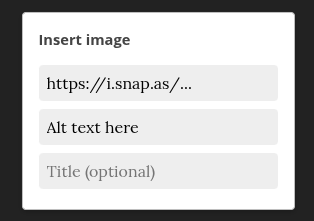
If you’re instead using the Rich Text editor, you’ll want to select Insert > Image, and then paste only the Snap.as URL (https://i.snap.as/K75Hy3vv.jpg) into the “URL” field, and then the alt text (“Deepa’s work”) into the “Alt text” field below, and then press Enter. That will look something like this:
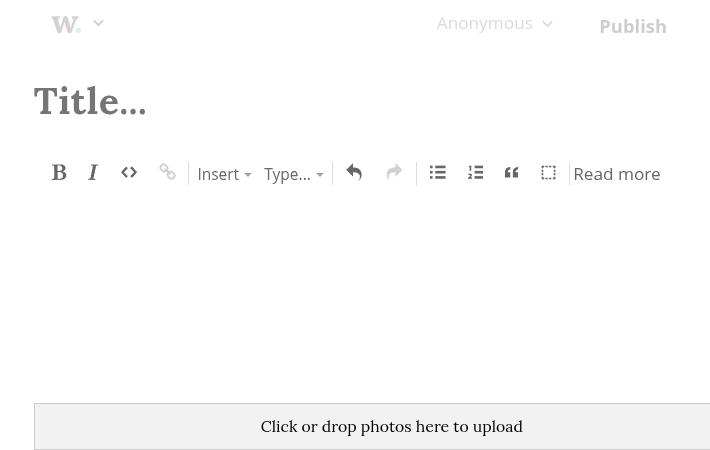
Alternatively, if you’re already using the Rich Text editor, you can always upload images directly into your post by clicking in the gray area at the bottom of the editor, shown below. This will still store the image in Snap.as, but will easily insert it into your post as well.